Forktastic for Power Users: MCP, AI Tools and Developer Workflows
Forktastic ships a production MCP server at mcp.forktastic.com/rpc — seven tools, PAT auth, 60 req/min. A developer's take on what a recipe agent looks like.
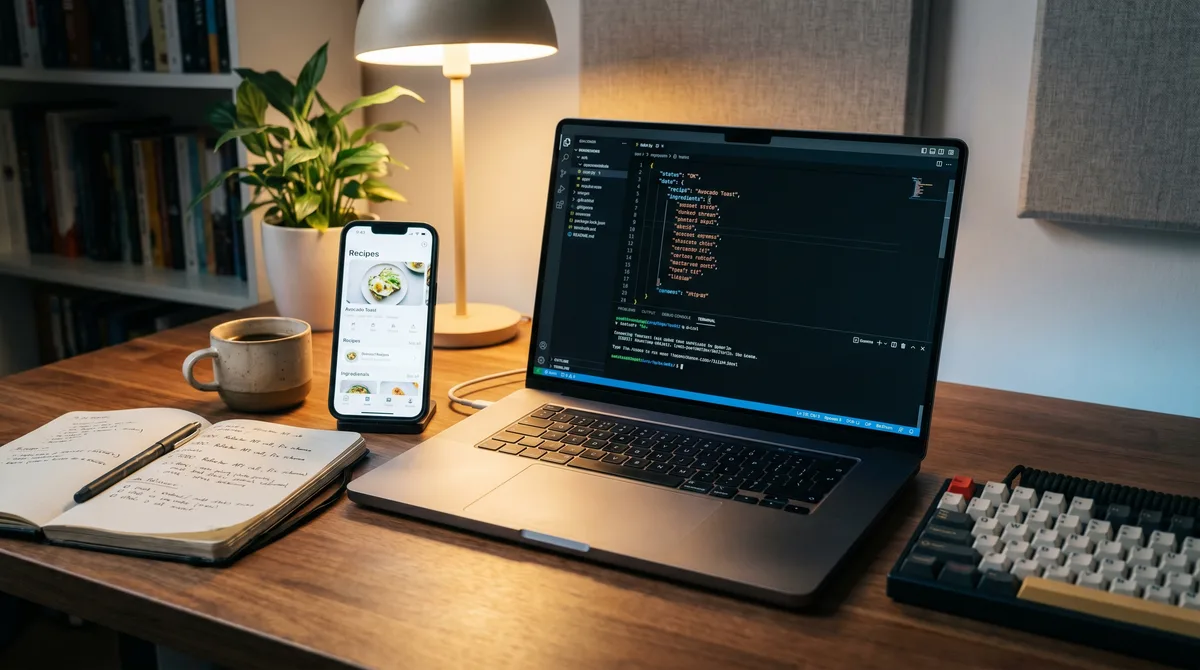
This post is for the developer reading the rest of the Forktastic blog and wondering whether the app does anything interesting under the hood. The answer is yes, and the most interesting thing is the MCP server.
If you're not a developer, you can skip this one. Nothing here improves how your recipes are organized. But if you build with Claude, Cursor, or any other Model Context Protocol-aware tooling — Forktastic ships a production MCP server at mcp.forktastic.com/rpc that lets you read your recipe library directly from inside your agent. This is unique to Forktastic in the 2026 recipe-app space. No other recipe app has anything close.
Why a recipe app has an MCP server
The honest answer: because the people building agents now keep wanting to do useful things with the recipes they already own. "Plan a week of meals from my Forktastic library that uses what's in my fridge." "Generate a shopping list as a Markdown table for a Slack message." "Find the recipes I've cooked the most in the last quarter and summarize the cuisine trends." All of those are agent-shaped tasks, and they all need read access to the recipe library.
The Forktastic MCP server exposes seven read-only tools that map directly to the things an agent would want to know: search recipes, get a specific recipe, list cookbooks, search cookbooks, get a specific cookbook, get trending recipes, get family info. The full tool reference is here.
Connecting Claude
If you use Claude (Claude Desktop, Claude Code, or anywhere that supports MCP), add Forktastic as an MCP server in your config. Authenticate with a Personal Access Token issued from your account. After that, every Claude session has your recipe library as context. The Claude connection walkthrough, end to end.
Connecting Cursor
Cursor's MCP integration follows the same shape. Add the Forktastic server to your Cursor config, drop in a PAT, and you have agentic access to your recipe library from your IDE. The Cursor setup walkthrough.
Personal Access Tokens
Authentication for the MCP server is Personal Access Tokens — short-string credentials you issue from your Forktastic account that grant agentic read access to your library. Tokens are scoped to the account that created them, can be revoked at any time, and never grant write access. PAT issuance, revocation, and best-practice guide.
Rate limits
The MCP server enforces 60 requests per minute and 5,000 requests per day per token, with pagination on list endpoints. The pagination model is offset-based with PGRST103 handling for offset overshoot — if you've never built against a PostgREST-backed API before, the rate-limit + pagination guide covers the details that matter. Rate limits and pagination reference.
What you can build with it
Three real examples, all of which work today:
- A weekly meal-plan agent that scans your library, your cooked-history, and the season, and proposes a Pick 3 for the week. Runs as a Claude subagent on a cron.
- A pantry-aware recipe finder that takes a free-form list of ingredients you have on hand and returns recipes from your library that use them — better-targeted than the standard ingredient filter because Claude can reason about substitutions.
- A recipe-export-to-Markdown tool for blog posts or shared docs: a Claude session can pull any recipe by ID and format it however you want — Markdown, plain text, HTML, even a Notion-friendly block structure.
The recipe agent build walkthrough covers all three with copy-paste code.
What it doesn't do (yet)
The MCP server is read-only in 2026. You can't create or edit recipes through it. This is a deliberate scope decision — writes through agentic tooling have a much higher risk surface, and the trust model needs to be carefully designed before opening write access. We expect to add scoped write capabilities (with explicit user confirmation per write) in a later release.
It also doesn't expose any other user's data. Your PAT only sees your account and (if you're in a family group) the recipes your family has chosen to share with the group. There is no global recipe index, no public discovery layer, no cross-user read.
Why this matters for the future of recipe apps
The interesting thing about MCP isn't the protocol itself — it's that recipe data becomes available to whatever AI workflow you happen to be running. A recipe app that ships an MCP server is a recipe app that admits your data should compose with everything else you use. A longer essay on this idea is here.
Where to go next
If you want to actually start: connect Claude, issue a PAT, and read the tool reference. If you came to this post by accident and you're not a developer, the honest 2026 comparison post is the right place to start.