Cooking Together: Real-Time Recipe Sharing in Households
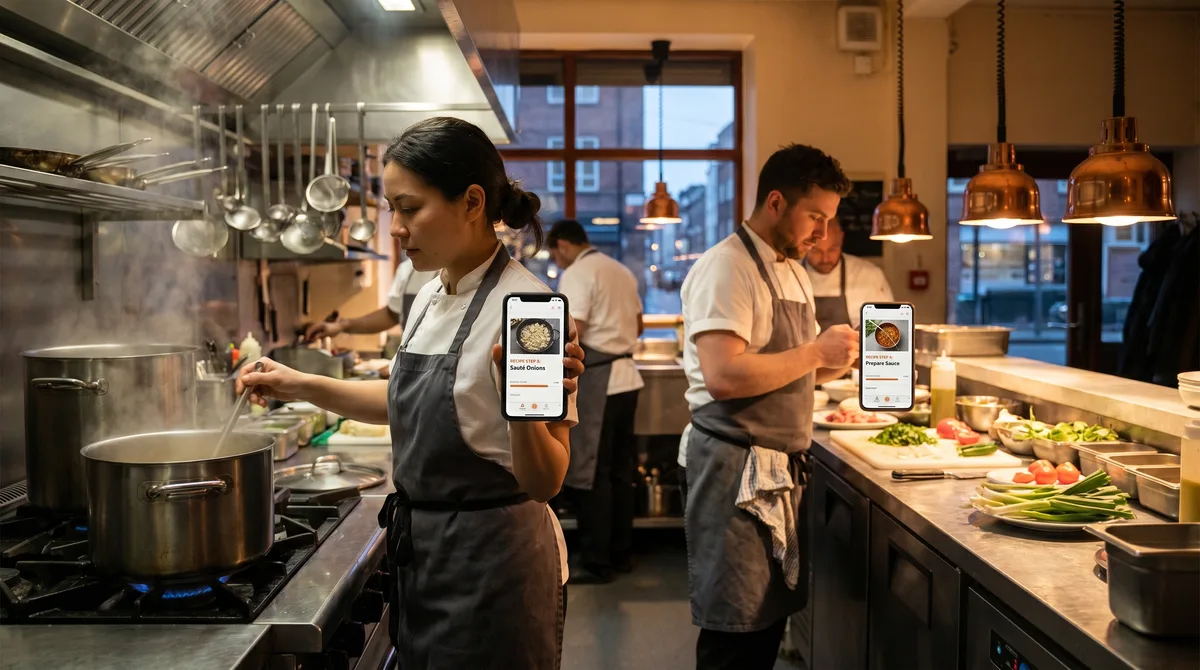
Real-time household cooking workflows in Forktastic — shared library, synced plan, real-time grocery list, and independent Cook Mode on each phone.
When two people cook together, the friction shows up immediately: one person has the recipe on their phone, the other one is stranded. "What's next?" "Where are we?" "Hand me the recipe." That's a small annoyance, but it repeats every time you cook together. This post is about the workflows in Forktastic that fix it.
The shared cookbook
The foundation is being in the same family group. Once two people are family members, every recipe in shared cookbooks is on both of their devices simultaneously. There's no "share recipe with partner" step before cooking — the recipe is already shared. Family setup walkthrough.
The synced meal plan
Toggle the meal plan to Family mode and both partners see the same week. If one partner adds a recipe to Tuesday, the other one sees it. If schedules change and Tuesday's dinner moves to Wednesday, that's reflected immediately. No phone-call coordination needed. Meal planning pillar guide.
The shared grocery list
The grocery list is family-shared by default. Add an item from your phone in bed; your partner's phone in the kitchen sees it within a second. Check items off at the store while the other person checks items off from home. This is the single most-used feature in family households. Best shared grocery list comparison.
The simultaneous Cook Mode
Both partners can be in Cook Mode for the same recipe on their own phones at the same time. Each person controls their own progress through the steps — one of you might be on step 4 (the sauce) while the other is on step 6 (the pasta), and that's fine. Voice cook mode works on both phones independently.
This is the feature that catches most people off guard. Most recipe apps assume one person is The Cook. Forktastic assumes two people might be cooking the same recipe at different steps and the app stays out of their way. 14 voice commands reference.
The family activity feed
"Did you mark that recipe as cooked?" "Who added the new chili recipe?" The family activity feed shows what each family member did, when. Useful for accountability ("who marked the grocery list complete before I went shopping?") and discovery ("Sarah added a new soup recipe yesterday").
What real-time sync doesn't do
It doesn't broadcast notifications every time anyone touches the app. That would be unbearable. It silently keeps state synchronized; you see updates the next time you look. No spammy "Bob added an item to the grocery list" alerts every two minutes.
The handoff between cooks
If one partner started cooking and the other one is taking over (kid emergency, work call), the Cook Mode session is on each phone independently. The new cook opens Cook Mode on their own phone, navigates to the right step, and continues. The recipe is the same; the progress is on each device.
Where to go next
For setup, two-minute family setup. For voice cook mode, voice cook mode pillar. For the family pillar overview, family pillar guide.